/
FAQ-Buyer
Payments
How do I authenticate card payments on REKKI?
When paying by card, your bank will often ask you to authenticate your payments. This is a measure put in place by your bank (not REKKI) to prevent fraud. Individual payments must be authenticated, meaning an authentication link is always associated with a specific invoice.
If you do not authenticate your payment, REKKI is unable to take payment, leading to a payment failure.
To authenticate a payment:
Please open your chat with a supplier.
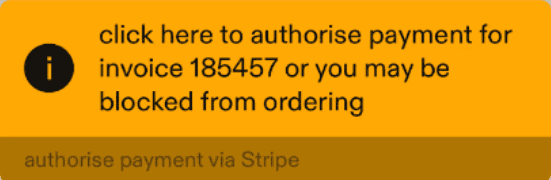
Scroll within the chat until you see a yellow box, which will appear after an invoice, if sent.
Press the authentication link, and follow the instructions to authorise the payment.
Make sure to authenticate your payments as soon as you receive your invoice for the smoothest payment experience.
If your chat does not unblock automatically, please contact support@rekki.com, and we will help you resolve the issue.